Background texture
Use a smooth wall or backdrop. UK photo checks can reject visible patterns, objects, or textured surfaces.
Prepare a UK digital passport photo with plain background, balanced light, neutral expression, no filters, and practical checks before online submission.
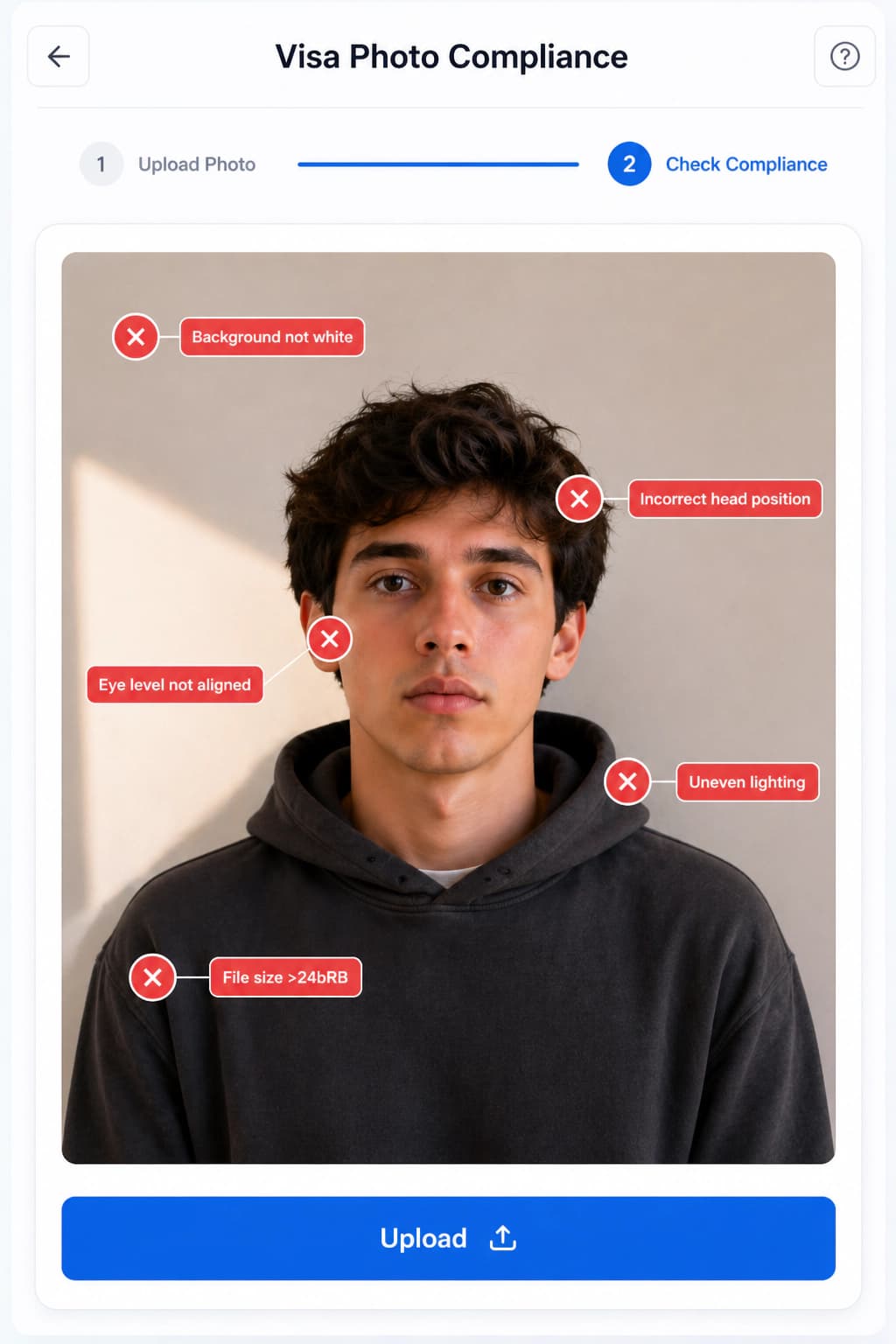
Use a plain light-colored background without texture or pattern.
Use balanced light with no shadows on the face or background.
Look directly at the camera with a plain expression and mouth closed.
Do not apply filters, beautification, red-eye changes, or face correction.
For children, follow the official age-specific exceptions.
Use a smooth wall or backdrop. UK photo checks can reject visible patterns, objects, or textured surfaces.
Ask another person to take the photo from about 1.5 meters away so the face is not distorted.
Do not use face correction, smoothing, or filters. Use validation for checks rather than changing your facial features.
Stand away from the wall and face natural window light for a softer, more even result.
Use a plain, light-colored background with no visible texture, object, or shadow.
The UK guidance recommends standing away from the background and having another person take the photo.
Validate face visibility, expression, lighting, background, and image clarity before you submit online.
Government photo rules commonly reject altered, filtered, or beautified images. Use the studio for compliance checks, crop, export, and background preparation only. Follow the official source for your final application route.
Yes, the UK online flow can accept a photo taken with your own device if it meets the official rules. The guidance recommends having another person take it rather than using a selfie.
No. UK guidance says the photo must be unedited, with no effects or filters.
GOV.UK says the photo must have been taken in the last month.